SharePoint Dragons

Nikander & Margriet on SharePoint

Category Archives: Uncategorized

Small SharePoint Free e-Book

In case you’re interested, this a small and free e-book about SharePoint 2013: http://www.slideshare.net/IntergenNZ/introducing-microsoft-sharepoint-2013-ebook

Drinking the Poison Cup

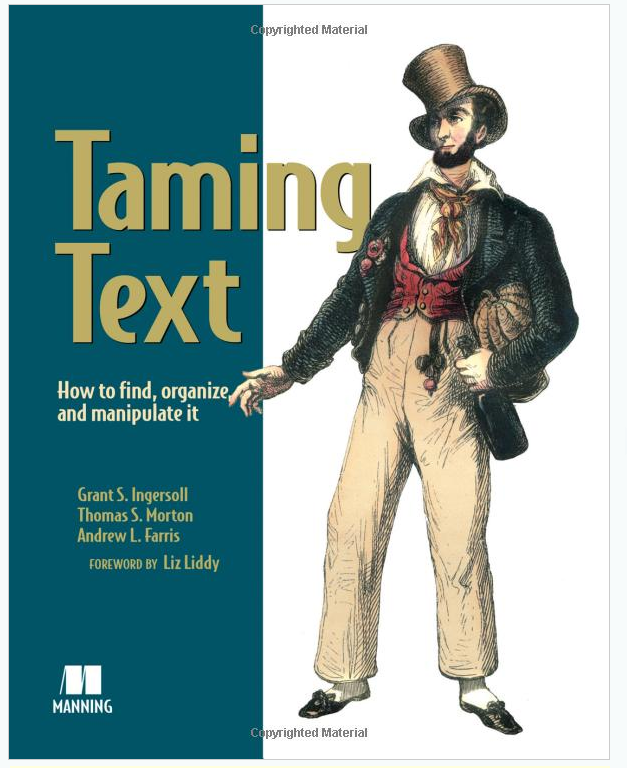
Taming Text

image

When you haven’t done it yourself, it’s hard to imagine the effort that goes into writing a book. Not just a couple of chapters, but an entire book. Sometimes, we hear complaining about the lack of in depth books, but we guess that a lot of people don’t realize that the more in depth a book gets, the more work it is to write, and the smaller the audience for the book becomes. Because of this mechanism, with a new product release you’ll see lots of books getting published covering more or less the same grounds.

When we were technical reviewers of the book “Taming Text” it became quite clear that this was one of those rare cases where a very specific topic gets covered in great depth. We have one fear for this book, the fear that the audience for this book will be so small that the end result won’t be very satisfying for the authors. This is undeserved, as it is a great book.

What is it about? Basically, it covers how to find, organize, and manipulate text. It discusses topics such as:

  • How to work with phrases, clauses, morphology
  • Searching and indexing
  • Fuzzy string matching
  • Identifying people, places, and things
  • Clustering text
  • Classification, categorization, and tagging

If you belong to the audience that is interested in this, check out http://www.amazon.com/Taming-Text-Find-Organize-Manipulate/dp/193398838X/ref=sr_1_1?s=books&ie=UTF8&qid=1360241403&sr=1-1&keywords=taming+text

PowerPoint Picture Transparancy

This was just the small PowerPoint trick we were looking for, making a picture transparant: http://www.wiseowl.co.uk/blog/s171/how_to_make_part_of_a_picture_transparent.htm

NDepend Review

It has been quite some time since we looked at the NDepend tool (http://www.ndepend.com/). We remember reading a Robert C. Martin book and were enthusiastic about his ideas about assembly dependencies. Back then, we were pleasantly surprised to find out that there was a tool based on the ideas of Robert C. Martin, and did some experimenting with it, but for some reason the tool didn’t quite fit in our development process.

Recently, we took another look at the tool and were pleasantly surprised by the way it has evolved. It has been designed to participate in Continuous Integration (CI) scenarios, has become a full-blown code analysis tool including nice reporting capabilities, and the documentation and ease of use are top notch. The feature we like best of all is the little amount of effort it takes to create your own code rules, something we have really want for some time and found to be lacking in the standard Visual Studio Static Code analysis features.

Let’s take a moment to discuss some of the other features…

  • There’s a visual tool that allows you to inspect NDepend projects (that analyze your own VS projects) without having to start Visual Studio separately.
  • There’s a console tool that ios ideal for CI purposes.
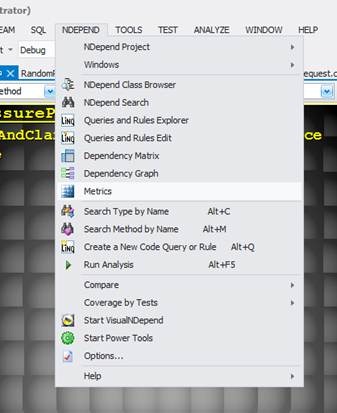
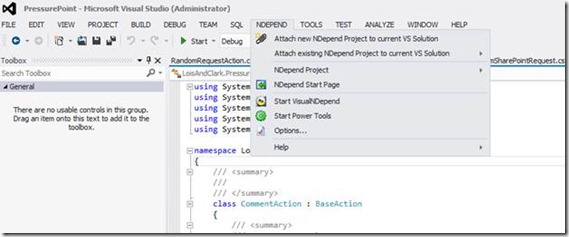
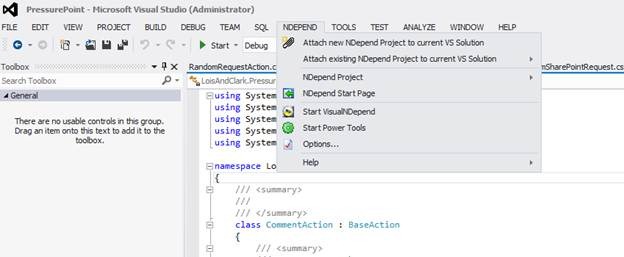
  • There’s a VS add-in(also support VS 2012) allowing easy access to NDepend features:
    clip_image002
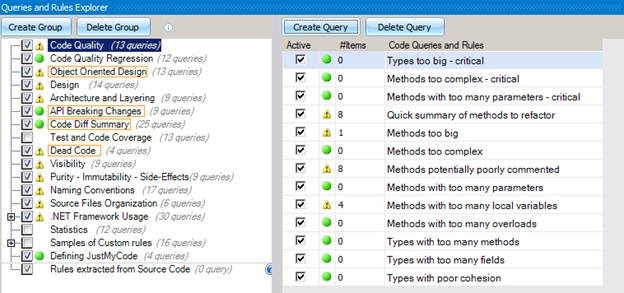
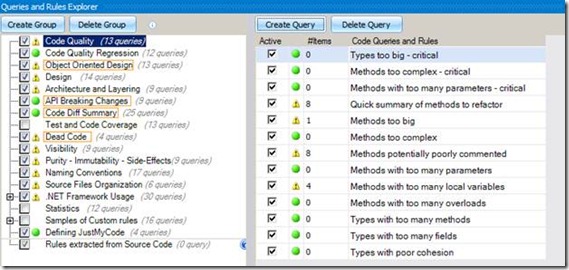
  • The Queries and Rules explorer performs static code analysis of your code:
    clip_image004
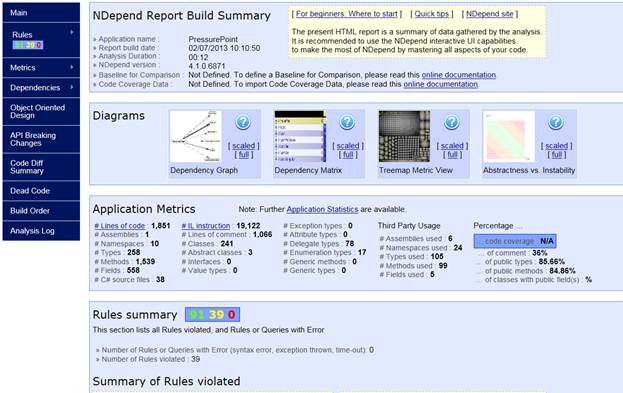
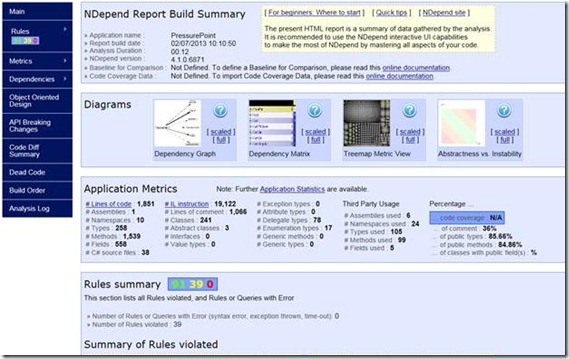
  • The tool is shipped with nice reporting capabilities:
    clip_image006
  • You can run Linq queries live at design time to inspect the code base you’re working with:
  • The Dependency Graph is impressive:
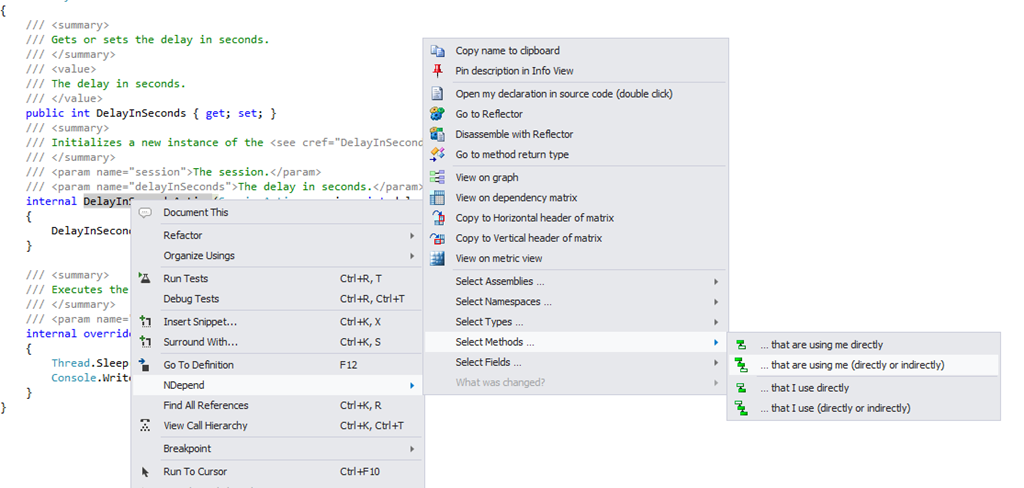
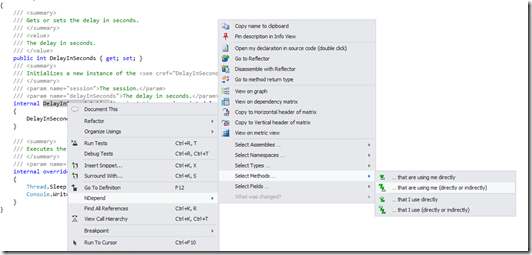
  • Great in-context info. In the example below we use NDepend to find out which methods are using the current method:
    image
  • NDepend allows you to Diff separate versions of source files and highlights the differences ( http://www.ndepend.com/Doc_VS_Diff.aspx )
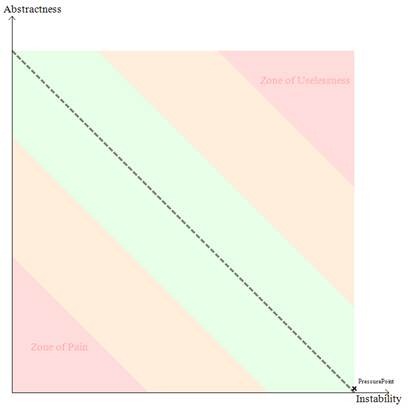
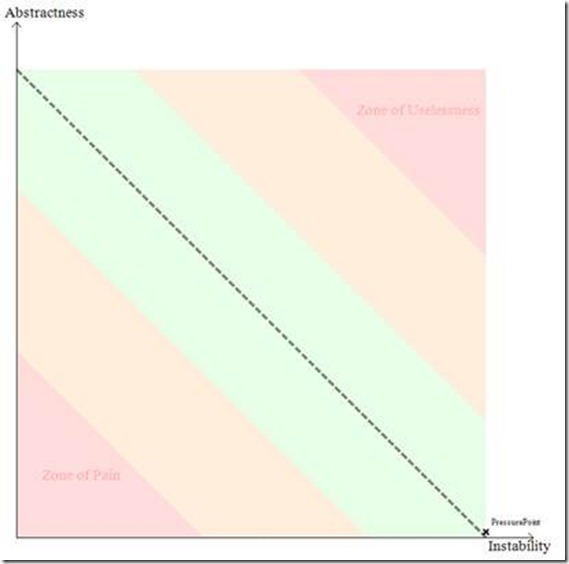
  • Of course, the unique Robert C Martin package dependency report isn’t missing, and luckily our PressurePoint is doing wonderful:
    clip_image008 

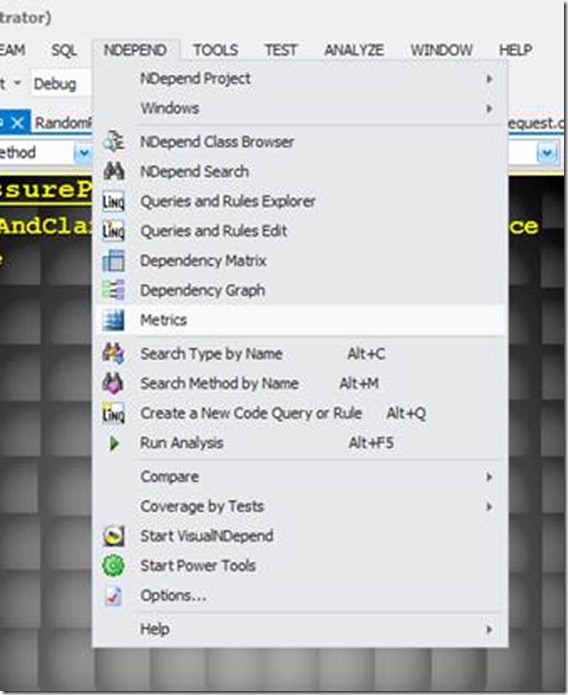
The tool is packed with handy features:
clip_image010

As said before, our favorite feature is the ability to quickly create new code rules. You can do this just by using some Linq code and learn from the examples. For instance, the next code rule checks for methods that are considered to be too big:

// <Name>Methods too big</Name>

warnif count > 0 from m in JustMyCode.Methods where

m.NbLinesOfCode > 30 ||

m.NbILInstructions > 200

orderby m.NbLinesOfCode descending,

m.NbILInstructions descending

select new { m, m.NbLinesOfCode, m.NbILInstructions }

// Methods where NbLinesOfCode > 30 or NbILInstructions > 200

// are extremely complex and should be split in smaller methods.

// See the definition of the NbLinesOfCode metric here

// http://www.ndepend.com/Metrics.aspx#NbLinesOfCode

This rule checks method access modifiers:

// <Name>Methods that could have a lower visibility</Name>

warnif count > 0 from m in JustMyCode.Methods where

m.Visibility != m.OptimalVisibility &&

!m.HasAttribute(“NDepend.Attributes.CannotDecreaseVisibilityAttribute”.AllowNoMatch()) &&

!m.HasAttribute(“NDepend.Attributes.IsNotDeadCodeAttribute”.AllowNoMatch()) &&

// If you don’t want to link NDepend.API.dll, you can use your own attributes and adapt this rule.

// Eliminate default constructor from the result.

// Whatever the visibility of the declaring class,

// default constructors are public and introduce noise

// in the current rule.

!( m.IsConstructor && m.IsPublic && m.NbParameters == 0) &&

// Don’t decrease the visibility of Main() methods.

!m.IsEntryPoint

select new { m,

m.Visibility ,

CouldBeDeclared = m.OptimalVisibility,

m.MethodsCallingMe }

Finally an easy way to implement code rules specific to our own projects. All in all, we’re happy with our brand new toy! If you want to take it for a test spin you can get it here: http://www.ndepend.com/NDependV4.aspx.
The Perpetuum Mobile

SharePoint 2013 Back-up

SharePoint 2013 Best Practices

The SharePoint 2013 Best Practices was updated again and is becoming more extensive: http://social.technet.microsoft.com/wiki/contents/articles/12438.sharepoint-2013-best-practices.aspx

Getting the right set of permissions when creating a custom permission level in PowerShell

Despite all its power and flexibility, developing PowerShell scripts feels like a dev experience that could be had 15 years ago. Often, we find ourselves creating prototypes in VS.NET first, before diving into the murky waters of visual PowerShell editors. Having that off our chest, suppose you’re creating a PS script that creates a new SharePoint permission level. The code is not too hard, something like:

$CustomPermissions = New-Object Microsoft.SharePoint.SPRoleDefinition
$CustomPermissions.Name = “TheName”
$CustomPermissions.Description=”A Descr”
$CustomPermissions.BasePermissions=”ViewListItems, AddListItems, EditListItems, OpenItems, ViewVersions, ManagePersonalViews, ViewFormPages, Open, ViewPages, CreateSSCSite, etc., etc.”
$RootWeb.RoleDefinitions.Add($CustomPermissions);

Now, what’s the easiest way to get to the permission mask you want? We do this:

  1. Create it first via the SharePoint UI (Site Actions > Site Settings > Site Permissions > Permission Levels).
  2. Create a C# program in Visual Studio that loops thru all permission levels until you find the one you created.
  3. Add the object holding the permission level to the QuickWatch window.
  4. Open the XML property using the XML visualizer.
  5. Copy the value of the BasePermissions attribute and use that string value in your PS script.

The C# code (run from a C# Console Application) looks like this:

using (SPSite site = new SPSite(“http://moon”))
{
  using (var web = site.OpenWeb())
  {
    foreach (SPRoleDefinition roleDef in web.RoleDefinitions)
    {
      Console.WriteLine(roleDef.Name);
    }

}

SharePoint Flavored WebLog Reader (SFWR) 1.4 is released!

We just released SFWR 1.4 at http://gallery.technet.microsoft.com/The-SharePoint-Flavored-5b03f323#content

What does it do?

“The IIS logs are an invaluable way to get to know your web application and your end users once it’s in production. Therefore, having a tool to analyze IIS logs is in invaluable asset in your bag of tricks. Especially if this tool has a certain SharePoint flavor added to it…”

What’s new?

5-2-2013 UPDATE Released SFWR V1.4

– Did some bug fixes (the slowest reports ordered by alphabet, instead of by number, duh!)

– Clarified up some reports, as there were some questions surrounding the time units in the reports. It should all be clear now.